
Most companies shoot a video, upload it to YouTube, and wait. The views don’t come. Not because the video is bad — sometimes it’s genuinely good — but because YouTube is a search engine, and nobody told it what the video is about.
YouTube SEO is the practice of structuring your video content so the algorithm understands it, ranks it, and surfaces it to the right viewers. For a business, that means potential customers who are already searching for what you sell. Done right, a single well-optimized video can generate qualified inquiries for years. Done wrong, it disappears in 48 hours.
This guide covers what actually moves the needle — not generic advice about “keywords matter,” but the specific decisions that separate videos that rank from videos that rot.
Why YouTube SEO Is Different from Google SEO
Google indexes text. YouTube indexes signals — watch time, click-through rate, engagement, closed captions, titles, descriptions, and dozens of behavioral cues. A page ranks because other pages link to it. A video ranks because real people watch it, finish it, and act on it.
That shift changes your approach entirely. Stuffing a title with keywords helps slightly. Getting someone to watch 80% of a 4-minute video helps enormously. YouTube’s algorithm is designed to keep people on YouTube, so it rewards content that actually holds attention — not content that just appears relevant.
The other key difference: YouTube is a social platform with a search engine bolted on. Subscribers, comments, saves, shares — they all feed the ranking signals. A video that earns genuine engagement will outrank a technically optimized video that bores people in the first 30 seconds.
The Title, Thumbnail, and Description Aren’t Decoration
Your title is a contract with the viewer and a signal to the algorithm. It needs to include your target keyword in a form people actually search, but it also needs to make someone want to click. “How We Helped a Dallas Law Firm Get 40 Leads from One Video” does both — it’s specific, it implies a result, and it’s not vague enough to scroll past.
Thumbnails are your ad. YouTube’s own research shows that thumbnail click-through rate (CTR) is one of the strongest ranking signals in the first 48 hours after upload. High contrast, a human face, and clear text overlaid on a visual that’s readable at 200px — those are the basics. Custom thumbnails consistently outperform auto-generated frames.
Descriptions are underused by almost every business on YouTube. YouTube reads the first 150 characters for search context, but the full description — up to 5,000 characters — is fair game for keywords, timestamps, and links. Write a real description. Explain what the video covers, who it’s for, and what they’ll learn. Include your target keyword in the first two sentences. Add timestamps so viewers can navigate — this also tells YouTube what topics the video covers.
Keyword Research for YouTube: Start with the Autocomplete
YouTube’s search bar is your free keyword tool. Type your topic and watch what it suggests. Those suggestions are pulled from real search volume — they’re what people are actually typing. Start broad (“video production”) and get specific (“video production for small business Dallas”). The more specific the phrase, the lower the competition and the higher the intent.
Tools like TubeBuddy and vidIQ layer volume and competition data on top of this, but autocomplete is enough to get started. Look for phrases with question formats (“how to,” “what is,” “why does”) — these tend to have strong search volume and direct commercial intent.
Once you have a target keyword, use it: in the title, in the first sentence of the description, in the file name before upload (rename the file `youtube-seo-dallas-video.mp4`, not `final_v3.mp4`), and in your closed captions. The closed captions point matters — YouTube’s automatic transcription is imperfect, especially with technical or brand-specific language. Upload your own SRT file when accuracy matters.
Watch Time Is the Metric That Actually Pays
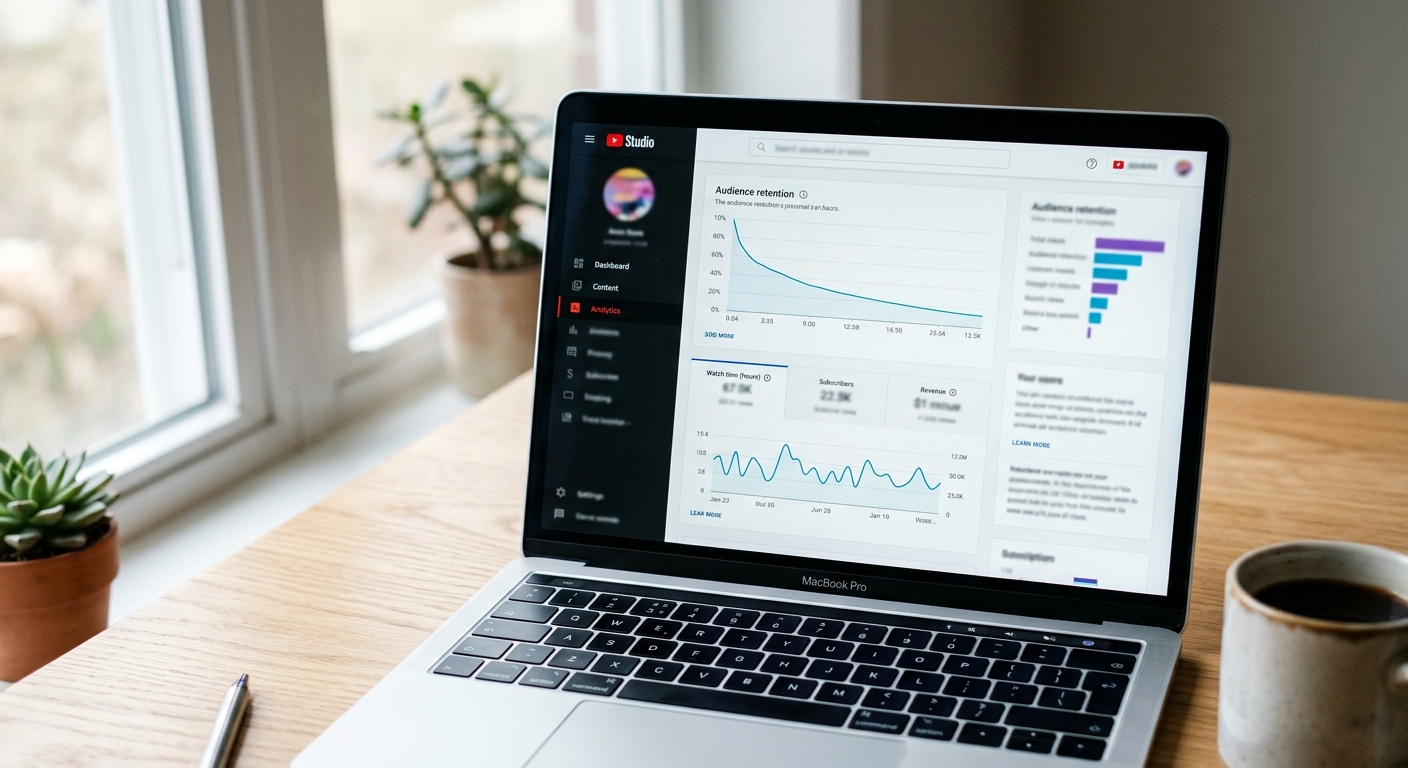
Average view duration, audience retention curves, and total watch time are the metrics YouTube weighs most heavily. A 10-minute video watched to completion beats a 10-minute video where 70% of viewers drop off at 45 seconds — every time.
This is where production quality has real business consequences. Poor audio makes people leave. Slow intros (“Hey guys, welcome back to the channel, if you’re new here, make sure to hit subscribe…”) bleed viewers before you’ve said anything worth hearing. Open with the most compelling version of your argument, then earn the viewer’s continued attention.
For business videos, a tight structure helps: state the problem in the first 30 seconds, promise a specific resolution, deliver it, and close with one clear call to action. If you want to understand what drives some videos to outperform others by orders of magnitude, our breakdown of what makes videos go viral is worth reading — many of those principles map directly onto YouTube search performance.
The video hosting decisions you make also affect how embeds and website plays interact with your YouTube channel’s authority. A video embedded on a high-traffic service page that drives viewers to YouTube can spike watch time and ranking signals simultaneously.
Tags, Cards, and End Screens: The Details That Compound
Tags are less powerful than they were five years ago, but they still provide context — especially for uncommon terms or brand names the algorithm might otherwise misread. Use 5-10 specific tags, not 30 generic ones.
Cards and end screens serve two purposes: they extend watch time across your channel and guide viewers toward conversion. An end screen pointing to a related video keeps someone in your ecosystem; a card linking to your website creates a trackable lead path. Both are signals YouTube reads as channel health indicators.
Playlists matter too. Grouping related videos into a playlist increases session watch time — when someone finishes one video and the next auto-plays, that’s additional time credited to your channel. Organize your content into playlists around topics, not upload date.
How Dallas Businesses Are Using YouTube SEO to Generate Leads

The companies getting real results from YouTube aren’t the ones with the most subscribers. They’re the ones who identified a handful of questions their buyers ask before writing a check, made a video answering each one, and optimized those videos to appear when those questions are searched.
A law firm that produces a 6-minute video titled “What Happens at a Dallas DWI Arraignment” and ranks on page one of YouTube search doesn’t need 100,000 views. It needs 300 qualified viewers a month who are in the middle of a legal crisis. That’s enough to sustain a practice.
For businesses working with our Dallas video production team, we often build a YouTube strategy into the production plan from day one — not as an afterthought, but as a core distribution goal. The question isn’t just “how do we make this look good?” It’s “how does this video get found 90 days from now?”
That means planning for SEO during scripting, not post-upload. Keywords inform the script structure. The opening hook is written to maximize retention. B-roll is selected to serve the edit, not just fill time. It’s a different way of thinking about production, but it produces measurably different results.
Distribution Isn’t an Afterthought
YouTube SEO gets your video found on YouTube. But the first 24-48 hours after upload are critical for signaling velocity — how fast your video earns views and engagement. If it’s sitting idle for the first two days, the algorithm reads that as a lack of interest and de-prioritizes it.
A deliberate distribution plan changes that. Email your list on upload day. Post across social channels with native video clips that drive traffic to YouTube. Embed the video on a relevant blog post or service page. Our guide on how to distribute video content effectively covers the full framework, but the short version is: don’t let the upload be the end of the work.
Understanding your broader video marketing strategy is equally essential — YouTube should be one channel in a coordinated system, not a standalone bet. Companies that treat it that way get compounding returns across platforms instead of siloed wins.
Technical Basics Worth Checking
A few items that often get missed:
File format and resolution. MP4 with H.264 encoding is the standard. Upload at the highest resolution you have — YouTube re-encodes everything, but starting with 1080p or 4K gives you the best output quality.
Chapters. Add timestamps in the description in the format `0:00 Intro`, `1:15 Keyword Research`. YouTube converts these to clickable chapters, and chapter headings are indexed for search.
Subtitles. Upload an SRT file rather than relying on auto-captions. Accuracy matters for search indexing and for accessibility.
Channel keywords. In YouTube Studio settings, under “Channel,” there’s a keyword field almost nobody fills out. Add your core topic keywords there — it tells YouTube what your channel covers in aggregate.
Pinned comment. Pin a comment on each video that includes a call to action and a link. It appears above the fold and functions as an extra conversion point.
None of these are secrets. But most businesses skip them, and the ones that don’t are the ones showing up when their buyers are searching.
Frequently Asked Questions
How long does YouTube SEO take to work?
Most properly optimized videos start gaining organic traction within 30-90 days. High-intent, low-competition keywords can rank within a week. The algorithm needs time to gather behavioral data — watch time, CTR, engagement — before it confidently surfaces a new video in search results.
How many keywords should I target in a single YouTube video?
One primary keyword per video. You can optimize for 2-3 closely related secondary phrases, but trying to rank for unrelated terms dilutes your focus and confuses the algorithm about what your video actually covers.
Does video length affect YouTube SEO rankings?
Length itself is not a direct ranking factor — audience retention percentage is. A 3-minute video with 75% retention will outrank a 10-minute video with 40% retention. Match the length to what the topic requires, nothing more.
Do YouTube video descriptions actually matter for SEO?
Yes. YouTube reads descriptions to understand context and match your video to search queries. Write at least 200-300 words, put your primary keyword in the first two sentences, and add timestamps to create navigable chapters — those headings are indexed for search.
Can I improve the SEO of videos I’ve already published?
Yes. Update the title, description, tags, and thumbnail on underperforming videos. Add chapters via timestamps, upload a proper SRT subtitle file, and add cards and end screens. Many videos see meaningful ranking improvements from description rewrites alone within a few weeks.
