
Nobody Remembers a Webinar. They Remember Whether It Worked.
Run enough of these and you notice a pattern: the client never mentions the resolution or the lighting afterward. They mention whether the demo froze, whether the Q&A felt awkward, whether the recording was usable for sales six months later. That’s the real test of webinar production — not whether it looked nice on the day, but whether it held up under actual use. We’ve produced enough of them for B2B software teams, financial services firms, and healthcare clients to know the difference between a webinar that gets forwarded internally and one that gets closed after ten minutes usually comes down to five or six decisions made before anyone hit “go live.”
Most people planning their first big webinar assume the hard part is the presenter’s slides. It isn’t. The hard part is everything around the slides — the signal path, the backup plan, the person watching chat so your VP isn’t fielding tech questions mid-sentence.
What Professional Webinar Production Actually Involves
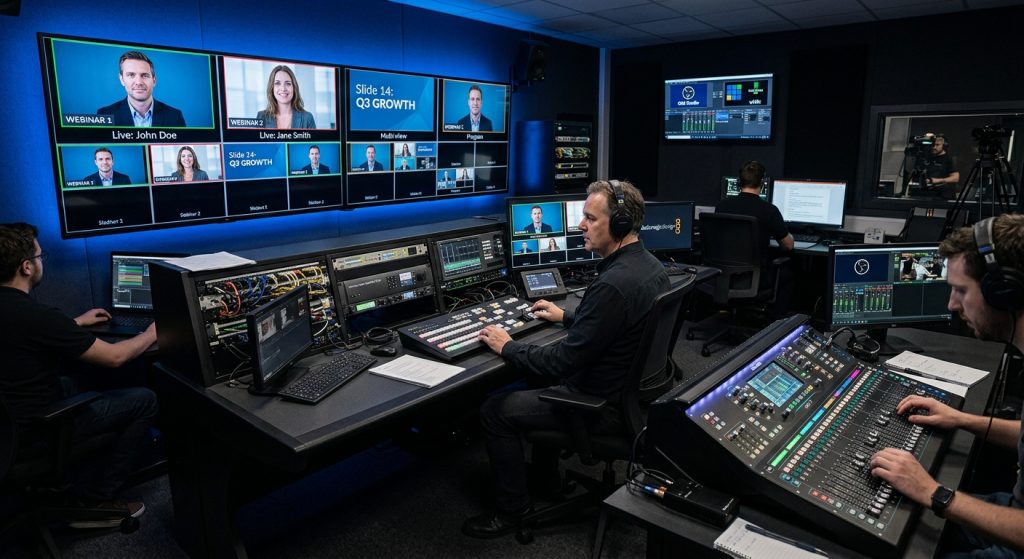
Strip away the marketing language and webinar production breaks into three jobs happening at once: managing the live signal (video, audio, screen share, graphics), managing the platform (Zoom, GoToWebinar, LinkedIn Live, or a custom embedded player), and managing the room — meaning the humans on camera and the humans watching. A one-person operation can technically run all three. A producer who’s done fifty of these will tell you that’s how you end up apologizing for a fifteen-second silence while someone unmutes.
A real production plan starts with a run-of-show — a minute-by-minute document listing who talks when, when graphics change, when the poll launches, and who owns the “abort” call if something breaks. We build this the same way we approach corporate event video production: treat the live moment like a broadcast, not a meeting that happens to have more attendees. That mindset is the actual gap between DIY webinars and produced ones — not the camera.
Live, Pre-Recorded, or Hybrid — and Why the Choice Changes Your Budget
Three formats cover almost every request we get. A fully live webinar, run in real time with live Q&A and no safety net, feels the most authentic and carries the most risk — one dropped connection and it’s visible to everyone watching. A pre-recorded webinar, edited and polished in advance then played out on a schedule with a live chat moderator, trades spontaneity for reliability; it’s what most product-launch and demo-heavy sessions actually use once a team has been burned once by a live glitch. A hybrid format — live host and live Q&A wrapped around pre-recorded product segments — splits the difference and is quietly becoming the default for teams that want production value without full live-broadcast risk.
None of these is inherently “better.” A live feed webinar costs more to produce because it needs real-time crew, but it also generates urgency that boosts registration and attendance rates. A pre-recorded format costs less per run and lets you reuse the same core content across a webinar series, which matters if lead generation is the actual goal rather than the event itself.
The Gear and Crew Behind a Clean Broadcast

Viewers can’t articulate what makes a webinar feel professional, but they notice instantly when it doesn’t. Usually it’s audio — a presenter on a laptop mic sounds like they’re in a stairwell. A dedicated lav or shotgun mic on each speaker, run through a mixer rather than straight into the platform, is the single highest-value upgrade most companies skip. After that: a second camera angle for cutaways during long monologues, proper key lighting so faces don’t wash out against a webcam’s auto-exposure, and branded lower thirds and graphics so the session doesn’t look like a Zoom call with a logo pasted on top.
On the crew side, a produced webinar typically needs a technical director switching between speaker feeds and slides, a chat moderator triaging questions in real time, and someone dedicated to troubleshooting if a presenter’s connection drops. Our team runs this the same way we staff a live streaming video production shoot — with redundancy built in, not bolted on after something breaks once.
Platforms, Redundancy, and the Stuff That Actually Breaks
Every platform — Zoom Webinars, GoToWebinar, LinkedIn Live, a custom embed running through Vimeo — has a failure mode, and none of them are rare enough to ignore. Wi-Fi drops. A presenter’s laptop updates mid-session. The screen share freezes on the one slide with the pricing table. Professional production means a hardwired ethernet backup for every presenter, a secondary internet connection for the control room, and a dry run scheduled 24-48 hours out that tests the exact hardware being used on the day — not a similar laptop, the actual one. Closed captioning has also gone from a nice-to-have to close to an expectation, particularly for enterprise buyers evaluating accessibility compliance alongside content quality.
Uptime is the metric nobody budgets for until they’ve lost it once. A webinar that drops for ninety seconds during the demo isn’t a minor glitch to the fifty people watching live and the three hundred who’ll watch the recording later — it’s the thing they remember instead of the product.
Engagement Is a Production Job, Not a Platform Feature
Polls, live Q&A, and chat moderation get treated as software features you toggle on, but running them well is a staffing decision. Someone needs to be curating questions in real time, surfacing the good ones to the host, and quietly holding back the ones that derail the session. Left unmoderated, Q&A either goes silent — nobody wants to be first — or gets dominated by one person with an unrelated complaint. A seeded first question and a moderator ready to paraphrase submissions keeps the pace up without making it feel scripted.
This is also where webinar production connects to the wider marketing function. Registration pages, reminder sequences, and post-event follow-up emails do more to determine attendance and cost-per-lead than anything that happens during the broadcast itself. If webinars are part of a larger content push, it’s worth reading how we think about the power of corporate video marketing — the production is one input into a funnel, not the whole funnel.
What It Actually Costs
Pricing for webinar production swings widely because the format swings widely. A single-session webinar with a dedicated producer, one presenter, and standard platform setup typically lands in the $1,500–$5,000 range. Multi-speaker panel formats, multi-camera setups, or sessions requiring custom branded graphics and a full technical crew move into $5,000–$15,000. Enterprise summits with multiple concurrent sessions and dedicated post-production teams start around $18,000 and climb from there. What moves the number most isn’t runtime — it’s speaker count, camera count, and how much post-event editing and asset creation is included.
Panel-format webinars in particular borrow a lot from how we shoot corporate interview video — multiple mic’d subjects, cutaway coverage, and a director keeping the conversation on pace, just streamed live instead of edited after the fact.
One Session, Several Assets
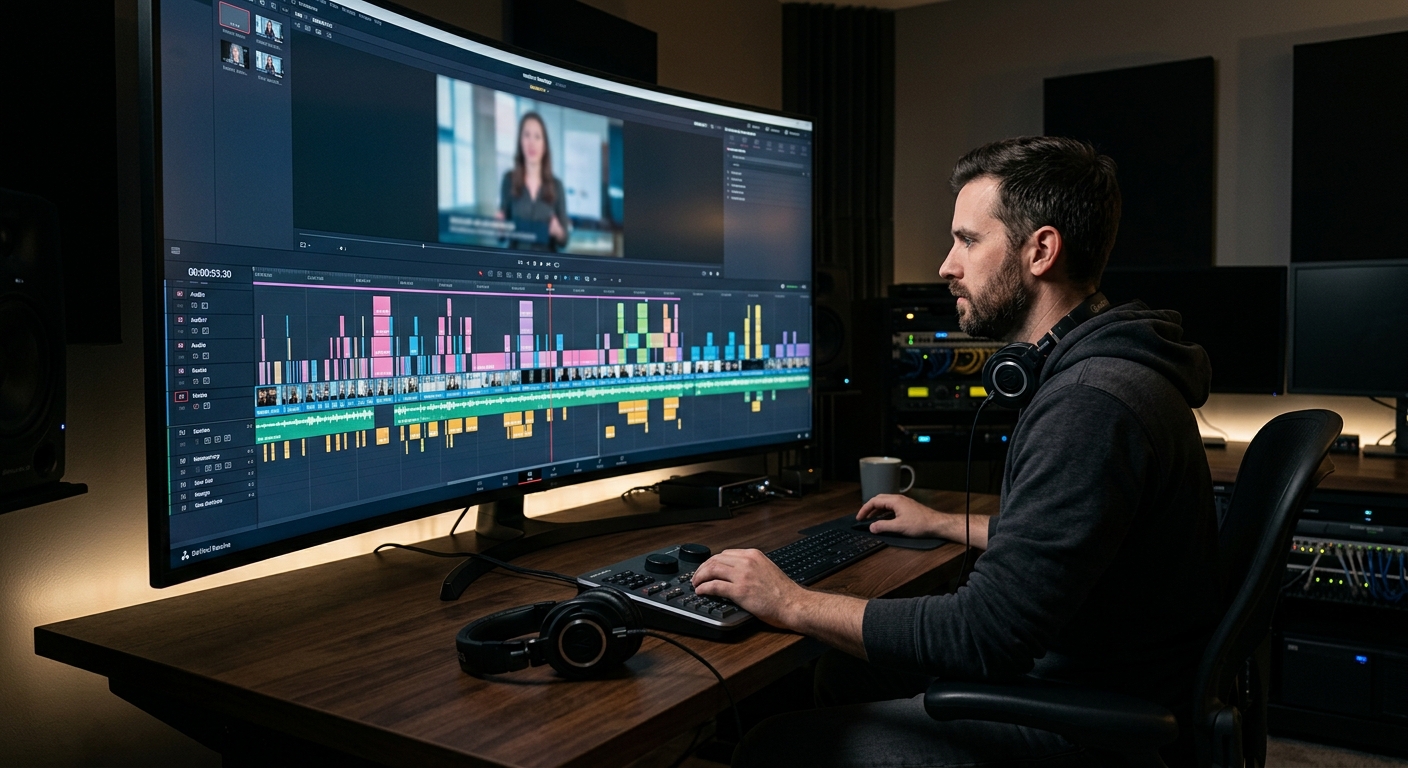
The recording shouldn’t be the only thing left over. A well-produced webinar gets cut down into a highlight reel for social, a handful of quote clips for LinkedIn, an on-demand replay page for lead gen after the live date has passed, and sometimes a trimmed version for sales to send directly to prospects who missed it. Teams that treat the live event as the entire deliverable are leaving most of the value of the shoot on the table — the same footage that ran once live can carry a nurture campaign for months if someone plans the edit before the cameras roll, not after.
If your team is based in the Bay Area and weighing whether to run this in-house or bring in a crew, our San Francisco video production studio handles webinar production alongside the broader event and marketing video work we do for local companies — often the same week as a corporate shoot, using the same lighting and audio setup so nothing gets rebuilt from scratch.
Getting Ready Without Overbuilding It
You don’t need a broadcast truck for a fifty-person internal webinar. You do need a plan that survives a dropped connection, a presenter who freezes, or a demo that doesn’t load. That’s the entire argument for bringing in production help rather than winging it on a laptop: not because the free tools can’t technically stream video, but because nobody on your team wants to be the person improvising a fix in front of three hundred prospects. Rehearse the actual hardware, assign the roles ahead of time, and build the run-of-show before you build the slides. Everything else is easier once that’s in place.
Frequently Asked Questions
How long does webinar production take to set up?
Plan for at least one to two weeks from kickoff to live date for a single-session webinar — that covers run-of-show planning, platform setup, a dry run with the actual presenter hardware, and registration page setup. Rush timelines are possible but leave no room for the dry run, which is where most on-the-day problems get caught.
Do I need a professional crew for a small internal webinar?
Not always. A low-stakes internal session with one presenter and no external attendees can run on a laptop and a decent headset. Once you’re presenting to prospects, customers, or a live Q&A audience of any size, a moderator and a technical director watching the signal separately from the presenter pays for itself the first time something goes wrong.
What’s the difference between a live and pre-recorded webinar?
A live webinar runs in real time with live Q&A and no safety net — higher risk, more urgency, better for driving registration. A pre-recorded webinar is edited in advance and played out on a schedule with a live chat moderator, trading spontaneity for reliability and easier reuse across a webinar series.
What should I budget for professional webinar production?
A single-session webinar with a dedicated producer typically runs $1,500 to $5,000. Multi-speaker panels or sessions needing multi-camera coverage and custom graphics land between $5,000 and $15,000. Enterprise summits with multiple concurrent sessions start around $18,000 and scale up based on speaker count and post-production scope.
Can a webinar recording be reused for other marketing?
Yes, and it should be planned for before the live date, not after. A single produced webinar typically yields a social highlight reel, several standalone quote clips, an on-demand replay page, and a trimmed version sales teams can send directly to prospects who missed the live session.
