
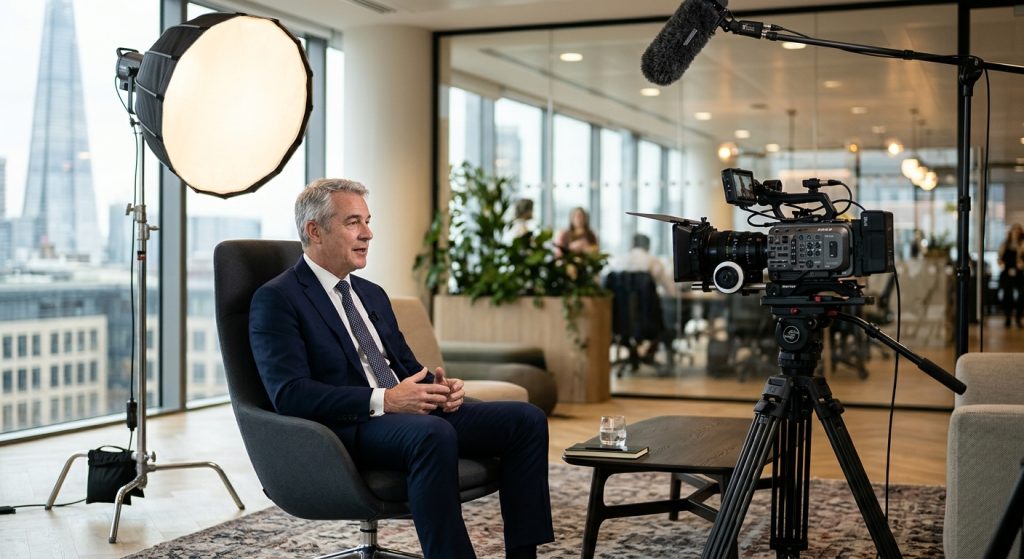
The worst interview footage I ever had to rescue was shot in a beautiful boardroom. Gorgeous table, floor-to-ceiling windows, a CEO who spoke like a natural. The problem was the window behind him: by the time he finished his second answer, a cloud had passed, his face had dropped two stops, and the whole thing looked like a hostage video. A solid corporate interview setup would have prevented all of it, and none of the fixes cost much.
This is how we build that setup on real shoots, including the ones we run for Phoenix companies through our Phoenix video production team.
What does a corporate interview setup include?
A corporate interview setup is five things working together: a camera (or two) on a tripod, three-point lighting, a lavalier or shotgun microphone, a controlled background, and a seat placed so the subject looks just off-lens at the interviewer. Skip any one of them and viewers notice, even if they can’t say why.
Wyzowl’s 2025 State of Video Marketing research, as reported by Wyzowl, found 91% of consumers say video quality affects their trust in a brand. An executive interview is often the first time a prospect hears your leadership speak. A flat, noisy, badly lit setup quietly tells them something about the company.
The rest of this article walks through each piece in the order we set them up on shoot day. If you want the wider picture of how interviews fit into a finished piece, our guide to the corporate interview video covers format and editing.
Where should you shoot the interview?
Shoot in the quietest room you can control, with the subject’s back to a wall rather than a window. Location decides about half the final quality, because sound and light are both much cheaper to protect than to repair.
Scout the room at the same time of day you’ll shoot. Listen for HVAC, ice makers, hallway foot traffic and the printer next door. In Phoenix, add one more: midday sun through west or south glass will swing the light on your subject by several stops in ten minutes. Close the blinds and light the room yourself, or choose a space with north-facing or no windows.
Avoid hard, echoing rooms. A glass-walled conference room sounds like a bathroom. Soft furniture, carpet and a few sound blankets (moving blankets work fine) clean up reverb fast. If the room has to be loud, plan to put a mic close to the mouth and nothing else will matter as much.
How do you set up lighting for a corporate interview?
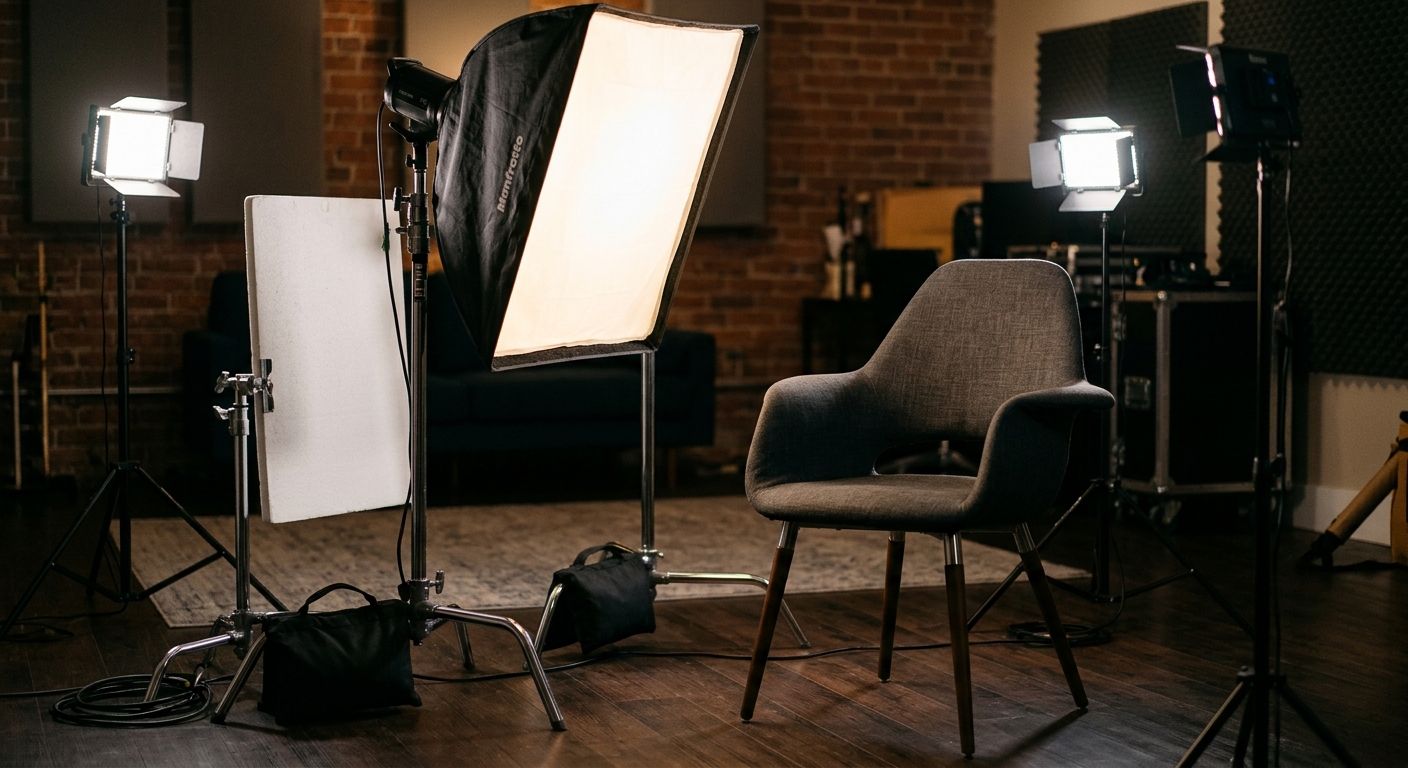
Use three-point lighting: a soft key light about 45 degrees to one side of the camera and slightly above eye level, a dimmer fill on the opposite side, and a backlight that separates the subject from the wall. The key does 80% of the work, so spend your time there.
Soften the key with a large source: a softbox, or a light bounced off a 4×4 white foam card placed two to three feet from the subject. Small hard sources create the raccoon-eye shadows that make executives look tired. A good test is the nose shadow. It should fall gently toward the corner of the mouth, not drop across the lip.
For fill, a white card near the camera is often enough. If the face looks too flat, go the other way and use a black card as negative fill to bring back shape. Then add the backlight from behind and above, aimed at the shoulders and hair. Add one or two practical lights or a gentle accent on the background for depth.
Color temperature trips up more shoots than anything. Mixing daylight-balanced LEDs with warm office bulbs gives a subject with one orange cheek and one blue. Either gel or switch off the room lights, or match everything to one temperature. We go deeper on this in our post on lighting techniques for video production.
One camera or two?
One camera is enough for most corporate interviews; two cameras give you a cutaway angle that hides edits and keeps pacing alive, and they typically add $500-1,500 to a half-day shoot. Add the second camera when the interview runs longer than five minutes of finished screen time.
With one camera, the shot sits slightly off to the side of the interviewer, the subject is placed on a third of the frame, and they look at the interviewer rather than into the lens. That slight off-axis look is the standard documentary style. Looking straight into the lens works for a CEO message or a testimonial landing page, but it takes a teleprompter or a very comfortable speaker.
With two cameras, set one wide or medium and one tighter, at a different angle, roughly 30 degrees apart. Keep both on the same side of the eyeline so the subject doesn’t appear to look in two directions. Shoot at least 4K so you can punch in for a third “virtual” angle in the edit. Matching exposure and white balance across both bodies matters more than the camera model, and our essential video production equipment list covers what we carry.
Two-person and group setups
Two executives sitting side by side is a deliberate choice: use it only when their interaction is the story, such as founders or a client and vendor. Brief both people beforehand, and give each a clear eyeline to the interviewer so they don’t stare at each other. Group panels need a third camera or a very wide frame.
What’s the best way to capture clean audio?
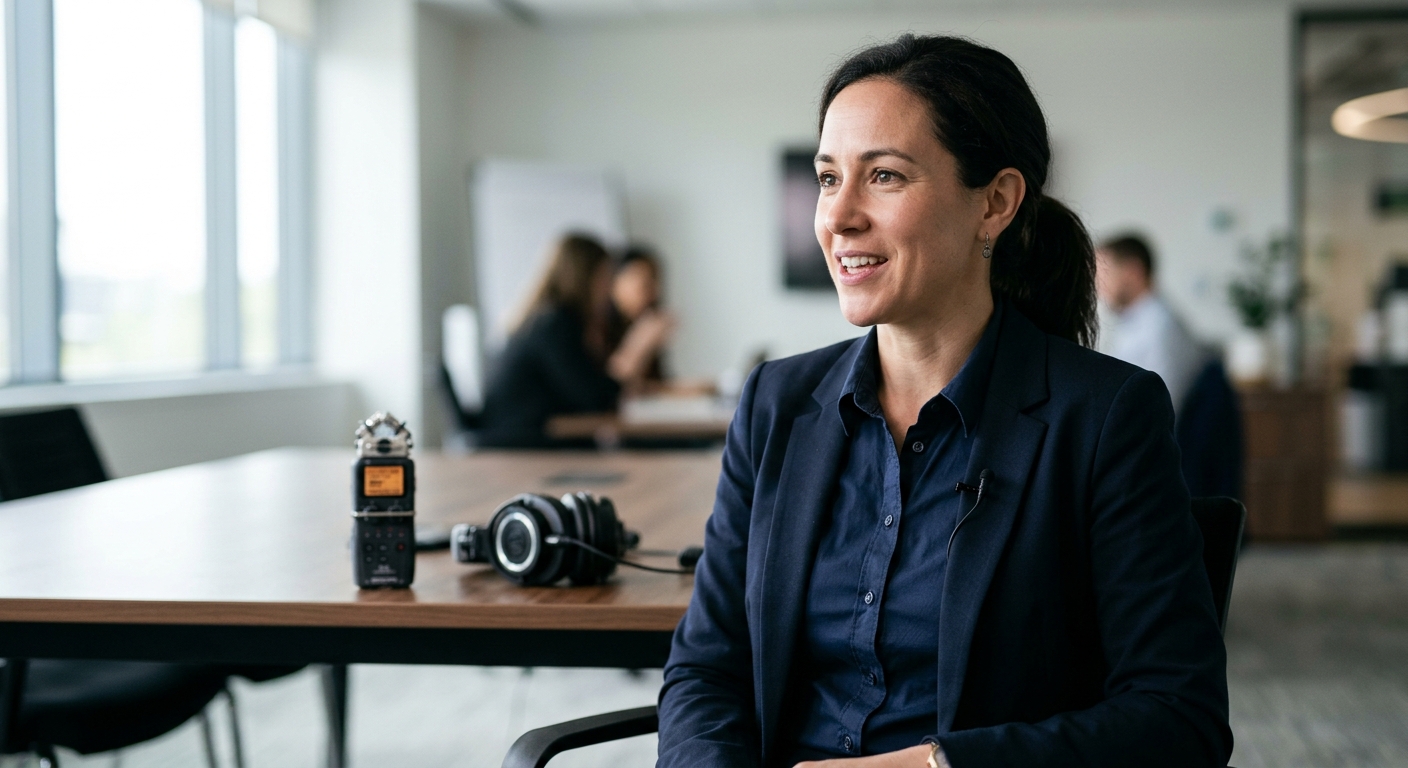
Put a lavalier microphone on the chest, about six to eight inches below the chin, and add a shotgun on a boom or stand just out of frame as backup. Bad audio is the one flaw viewers refuse to forgive, and it is nearly impossible to fix after the fact.
Run the lav under the shirt or tuck the cable behind a lapel to avoid rustle. Record to an external recorder, not just the camera, and monitor with real headphones for the entire interview. Set levels with the subject talking at full speaking energy, peaking around -12 dB so a laugh doesn’t clip. Turn off phones, including yours.
Record 30 seconds of room tone at the end, before anyone leaves. Editors use it to fill gaps and smooth cuts. We lay out the full approach in sound for video production.
How do you frame the shot and the background?
Frame the subject from mid-chest to just above the head, on a third, with a little headroom and noticeable lead space in the direction they face. Then put the subject three to six feet away from the background so you can blur it and light it separately.
The background should say something true about the company without shouting. A working lab, a clean shelf with a product, an office with real activity. Remove clutter, stray cords and the mug that’s been there since March. Avoid blank white walls, which feel like a deposition, and avoid logos stuffed behind the head. Keep the camera at eye level or slightly below, and a longer lens (50 to 85mm equivalent) flatters faces and compresses the background.
What should you do before the camera rolls?
Plan the interview before shoot day. Send the questions in advance, confirm the location, get release forms signed, and build a run-of-show with setup time. Most corporate interviews need 60 to 90 minutes of setup and 20 to 45 minutes of actual interviewing per subject.
Build in time for nerves. Offer water, let them practice an answer off camera, and tell them to restate the question in their answer so the interviewer’s voice can be cut out. Ask the open-ended questions: “walk me through what happened” rather than “was it hard?” Our video shoot planning guide has the checklist we use, and our corporate video production team can run the whole day if you’d rather not manage it.
Common mistakes to avoid
Most failed interviews trace back to the same few errors: shooting next to a window, trusting camera audio, skipping the test recording, and rushing the subject into the chair. A short test recording with headphones on catches nearly all of them.
Other repeat offenders: a subject who is too close to the background so shadows land on the wall, a swivel chair that squeaks, and a key light that is too hot on a bald head. Check the monitor for a shiny forehead and dab powder if needed. Check eyeglasses for reflections and tilt the light slightly higher.
Get those right and a simple setup, one camera, three lights, one lavalier, looks and sounds like a studio. The expensive part of interview production is almost never the gear. It’s the attention to detail in the first hour.
Frequently Asked Questions
What equipment do you need for a corporate interview setup?
A corporate interview setup needs a 4K camera on a tripod, three lights (key, fill, backlight) with a softbox or bounce card, a lavalier microphone with an external recorder, and headphones. Add a second camera and a shotgun mic on a boom for interviews longer than five minutes.
How far should the subject sit from the background in a video interview?
Seat the subject three to six feet in front of the background. That distance lets you blur the background with a longer lens, keeps shadows off the wall, and lets you light the subject and the background separately for a cleaner, more professional look.
Should a corporate interview use one camera or two?
One camera is enough for most corporate interviews under five minutes of finished video. A second camera at a different angle, roughly 30 degrees apart, hides edits and adds visual variety, typically adding $500-1,500 to a half-day shoot.
How long does a corporate interview shoot take?
Plan 60 to 90 minutes to set up lights, camera and audio, then 20 to 45 minutes of interviewing per subject. A half-day shoot usually covers three to four executives in the same room.
Where should the interviewee look during a video interview?
The interviewee should look at the interviewer, who sits just beside the camera, not into the lens. This off-axis eyeline is the standard documentary style. Looking directly into the lens works only for scripted messages, usually with a teleprompter.
