
A static camera isn’t neutral. It’s a choice—and often the wrong one. The moment a camera moves, it speaks. It pulls viewers in, builds tension, guides attention, or adds energy that no amount of script polish can replace. Most business owners hiring a video team have no idea this language exists, which means they’re handing over control of a major communication tool without knowing what questions to ask.
Camera movement techniques explained properly aren’t about gear flexing. They’re about storytelling mechanics. Here’s what each move does, when to use it, and what it costs you when you get it wrong.
The Core Camera Movements and What They Signal
Pan: Looking Around the Room
A pan is the camera rotating horizontally on a fixed axis—like turning your head to scan a room. It’s one of the most misused moves in corporate video. Done slowly and with intention, a pan establishes a location or connects two subjects. Done carelessly—too fast, or without a clear start and end point—it reads as amateur.
Use a pan to reveal. Start on a product, pan to the team that makes it. Start on a city skyline, pan to your office entrance. The movement implies connection, and the connection should be meaningful.
Tilt: Up and Down Authority
A tilt is the vertical counterpart of a pan. Tilting up on a subject makes them look powerful, larger-than-life. Tilting down can feel like looking at something small or submissive. This matters in testimonial videos and executive interviews—starting slightly below eye level and tilting up subtly reinforces the speaker’s authority without the viewer consciously noticing.
Dolly: The Most Cinematic Move
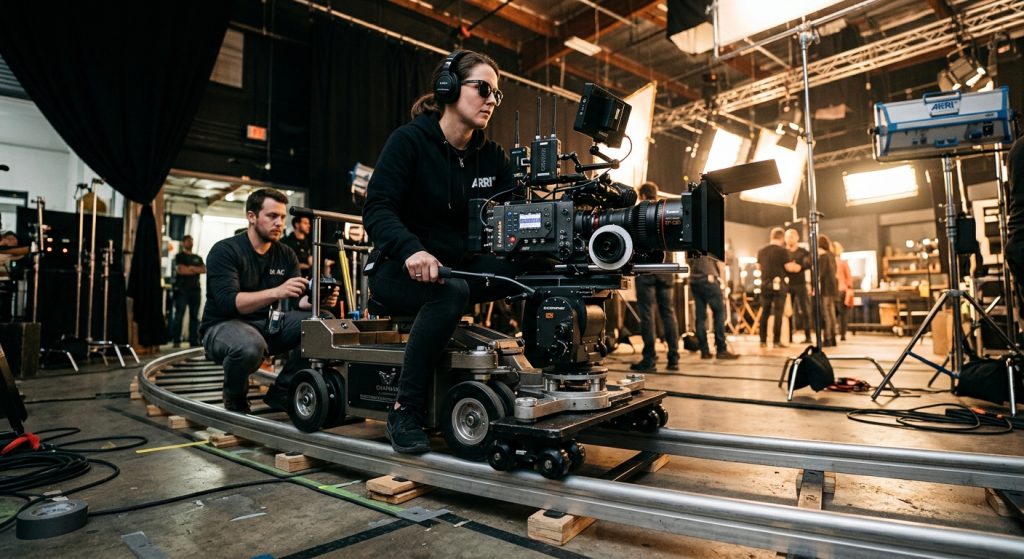
A dolly moves the entire camera through space—forward, backward, or laterally on a track. Unlike zooming, which changes the focal length, dollying changes the spatial relationship between foreground and background. The background compresses or expands in ways that zoom simply cannot replicate.
A dolly-in toward a subject creates intimacy or urgency. A slow dolly-out signals isolation or resolution. This is the move that separates productions that feel cinematic from ones that feel like webcam recordings.
For clients in the South Bay asking about San Jose video production quality, the dolly is usually the first indicator in a demo reel that separates professional work from DIY.
The Zoom: Understand It Before You Use It
Zooming in optically flattens the image—objects at different distances appear compressed together. There are specific uses for this in sports, news, and documentary work, but in commercial and brand video, the visual language of a zoom often reads as dated or budget-constrained. Modern productions almost always dolly rather than zoom. That said, a whip zoom—used deliberately for a stylized, high-energy effect—is a different tool entirely. The word “deliberately” is doing a lot of work in that sentence.
Stabilization: The Foundation Under Every Move
No camera movement technique works without stable execution. Shaky footage reads as anxiety or chaos—sometimes useful, but rarely what a business wants attached to their brand.
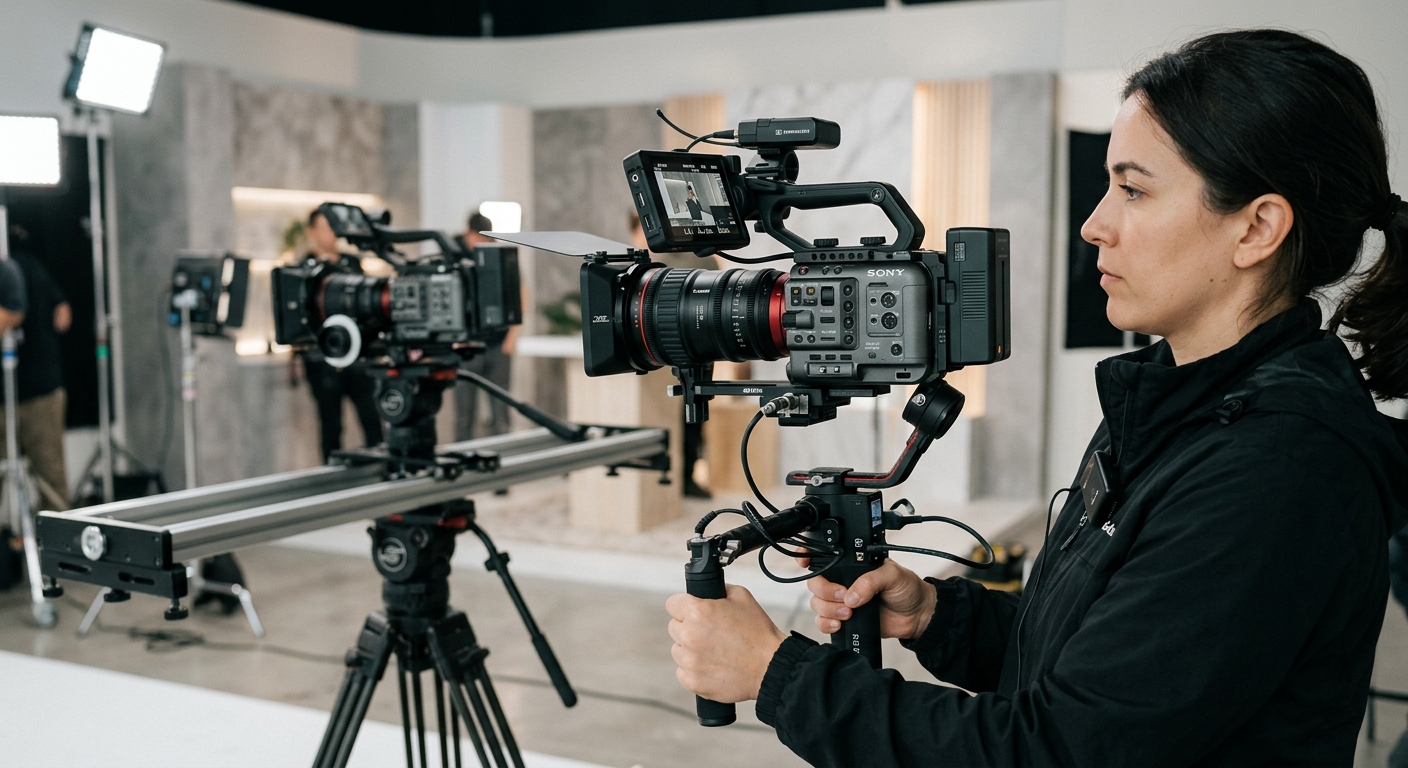
Tripod: The baseline. Static shots and controlled pans and tilts all start here. A professional fluid head (damped, smooth) is the difference between a move that feels controlled and one that lurches. Consumer tripod heads are stiff or too loose—this isn’t a place to cut corners.
Slider: A small track, typically two to four feet, allowing lateral dolly movement on a lightweight rig. Sliders opened up cinematic movement to smaller productions. The fundamentals in our post on cheap DSLR stabilization tricks still apply even with a proper production budget—the physics don’t change.
Gimbal and Steadicam: Gyroscopic stabilization that allows walking or handheld movement without jitter. Gimbals are now compact and accessible. Steadicam rigs are larger vest-mounted systems with a slightly different visual signature—a floating, organic quality versus the locked electronic stability of a gimbal. A good operator knows which one the scene calls for.
Jib and crane: These allow the camera to arc overhead or swing through space on an arm. Our hands-on production jib review breaks down what to expect from entry-level to professional crane work. The practical upshot for business clients: a crane move signals that this moment matters. It’s worth the rental cost when the opening or closing shot needs weight.
Advanced Moves: When They’re Worth the Budget
The Truck Shot
A lateral dolly where the camera moves sideways while staying parallel to the subject—often used to follow a walking interview or reveal a product line in sequence. Common in manufacturing and industrial video, where showing a facility floor in motion benefits from the camera traveling through the space rather than cutting between static frames.
The Dutch Angle
The camera is rotated along its axis so the horizon line isn’t level. It creates unease, tension, instability. In brand video, this is almost always wrong. The exception: you’re making a deliberate narrative point about disruption or conflict in your industry.
Aerial and Drone Movement
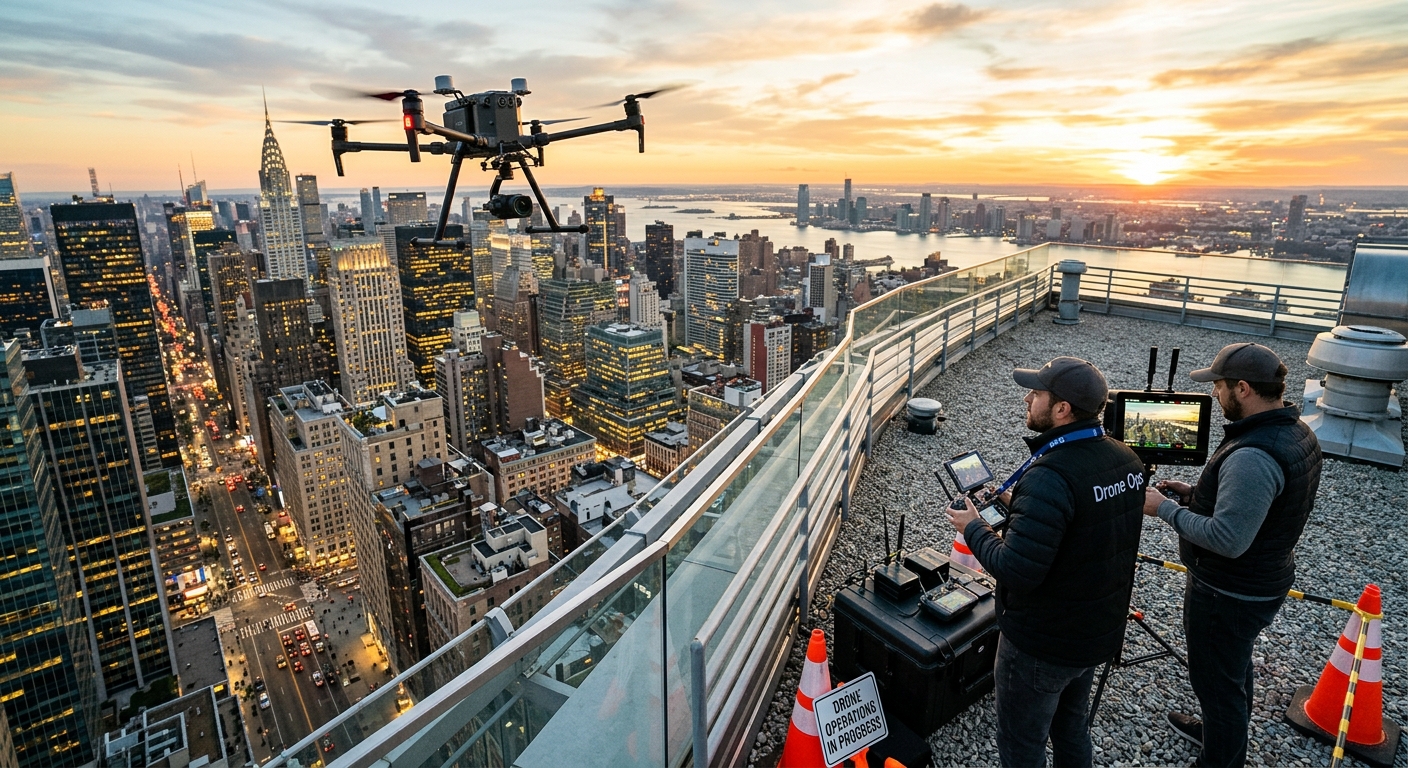
Drones opened up cinematic aerial movement to nearly every production budget. Aerial footage isn’t just for establishing shots—lateral drone moves at medium height create scale around a facility or event space. Slow rises from ground level to overhead can signal aspiration or reveal context that a ground-level camera can’t show. For specifics on executing aerial work well, the guide on shooting great drone footage covers the practical side thoroughly.
The rule for aerial movement is the same as for any other move: it needs a reason. Rising above a conference venue to show the crowd and the surrounding neighborhood is a reason. A drone flyover of an office building because drones are available is not.
How Camera Movement Affects Your Brand Video
Most clients see camera movement as a style preference. It’s a communication decision.
Energy: Fast, kinetic movement—lots of gimbal-stabilized walking shots—signals dynamism. This works for startups, gyms, and event recap videos.
Authority: Slow, controlled moves on a tripod or slider signal competence and professionalism. Right for law firms, financial services, and healthcare clients.
Warmth: Gentle handheld movement or small push-ins during interview closeups can feel intimate. Useful for nonprofits, education, and consumer brands where approachability matters more than gravitas.
Scale: Cranes, jibs, and aerial moves communicate that your project is significant enough to warrant them. The viewer doesn’t consciously register “that was a crane shot”—they just feel the production value.
These decisions should happen in pre-production, not improvised on set. It’s part of the conversation when you’re exploring our services and mapping out what a shoot needs to accomplish before a single frame gets recorded.
What to Look for When Hiring a Video Team
Ask a prospective video company to explain their camera movement philosophy for your specific project. A good answer involves the brand tone, the intended platform, and the story being told. A weak answer is “we use handheld for energy and tripod for interviews”—that’s a default setting, not a creative decision.
In the San Jose and Bay Area market, productions vary enormously in how deliberately they treat movement. When you’re reviewing demo reels:
- Static shots should be truly static—no micro-wobble from a cheap head
- Moving shots should have a clear motivation and arrive somewhere intentional
- The movement style should be consistent with the brand and tone throughout, not a grab bag of techniques
A reel that mixes shaky handheld with formal interview setups without a coherent reason isn’t showing versatility. It’s showing that no one made a deliberate choice.
Camera movement is one of the most immediate signals of production quality, and it’s one of the hardest things to fix in post. Get it right on set—or find a team that will.
Frequently Asked Questions
What is the most common camera movement used in corporate video production?
The pan is the most frequently used move, but slider push-ins and gentle gimbal dolly moves are the most common intentional movements in modern corporate production. A slow lateral slide or a subtle push-in during an interview is now standard in professional brand video.
When should a business video use a static camera versus moving shots?
Static cameras work well for interview segments, product close-ups, and scenes where the subject carries the energy. Moving shots add value for establishing context, conveying scale, and maintaining energy—facility tours, event coverage, and brand identity pieces all benefit from deliberate movement.
What is the difference between a dolly and a zoom?
A dolly physically moves the camera through space, changing the spatial relationship between foreground and background and creating a three-dimensional sense of depth. A zoom changes the focal length of the lens, compressing perspective and flattening depth. Dollies look cinematic; zooms look utilitarian, and the two are not interchangeable.
Do drone shots make sense for small business video productions?
Yes, when aerial footage shows something that ground level cannot—a facility’s scale, a neighborhood’s context, an event crowd. Drone footage used for the sake of it adds cost without adding story. The test is simple: what does the aerial angle communicate that no ground shot could?
How much do professional camera movement rigs add to a video production budget?
A slider setup adds minimal cost to a shoot day. A gimbal operator adds a few hundred dollars per day. Steadicam systems, jibs, and cranes range from $500 to several thousand per day depending on the rig and operator. For most brand videos, a slider and gimbal cover the majority of movement needs.
